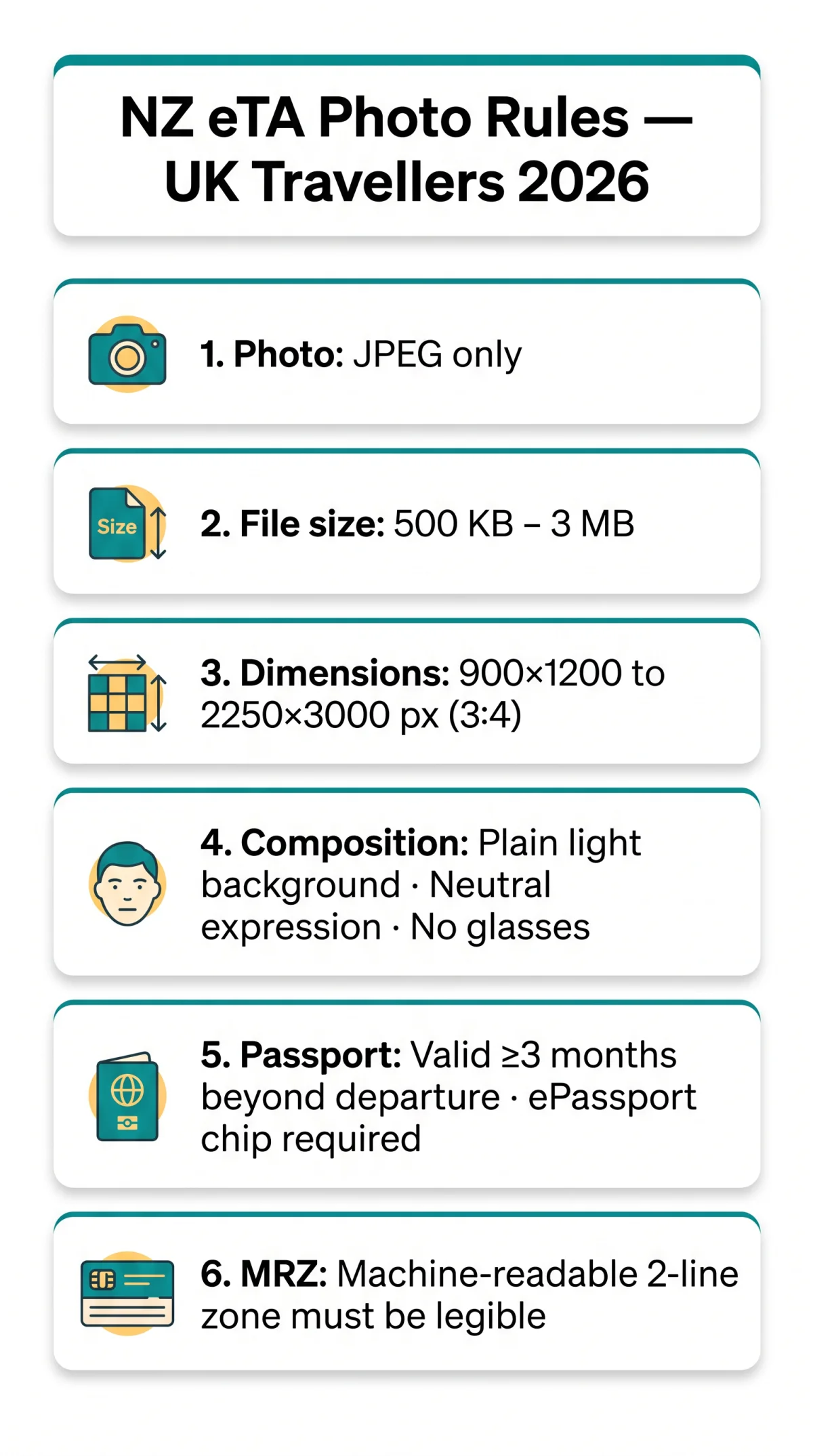
NZeTA passport photo requirements for UK travellers in 2026 demand a JPEG file between 900×1200 and 2250×3000 pixels with a 3:4 aspect ratio and 500 KB to 3 MB file size. Your UK passport must be valid for 3 months beyond your intended departure from New Zealand and contain a biometric chip. A legible Machine-Readable Zone (MRZ) on the data page is also mandatory. NZeTA lets British citizens travel without a visa, provided they hold the correct passport type and upload a compliant digital photo.
NZeTA passport photo requirements for UK travellers in 2026: JPEG file, 900×1200 to 2250×3000 pixels, 3:4 aspect ratio, plain light background, neutral expression with eyes open, file size 500 KB to 3 MB. Passport must be valid at least 3 months beyond intended departure from New Zealand and contain a biometric chip.
Last updated: 11 September 2026. This guide reflects NZeTA rules effective for travel in 2026. Disclaimer: this is an independent informational guide for travellers, not affiliated with or endorsed by Immigration New Zealand or the New Zealand Government. Always verify current requirements at the Immigration New Zealand website (https://
NZeTA Photo File Format, Size and Dimensions
NZeTA passport photo requirements mandate that every digital image must be a JPEG/JPG file between 500 KB and 3 MB, sized 900×1200 pixels (minimum) to 2250×3000 pixels (maximum) at a 3:4 portrait aspect ratio.
| Parameter | Specification |
|---|---|
| File format | JPG / JPEG only |
| File size | 500 KB to 3 MB |
| Pixel dimensions | 900×1200 px (min) to 2250×3000 px (max) |
| Aspect ratio | 3:4 |
| Orientation | Portrait mode (not landscape) |
| Resolution | 300 DPI minimum recommended |
According to Immigration New Zealand’s guidance (source: https:// the practical file-size range of 500 KB to 3 MB reflects rounded system limits of 512 KB to 3.14 MB. NZeTA passport photo requirements also specify portrait orientation exclusively; landscape images will fail validation regardless of pixel count or file format compliance.
Appearance and Composition Rules for NZeTA Photos
NZeTA passport photo requirements specify a plain light background, neutral expression with mouth closed, eyes open facing the camera, and no digital edits or filters.
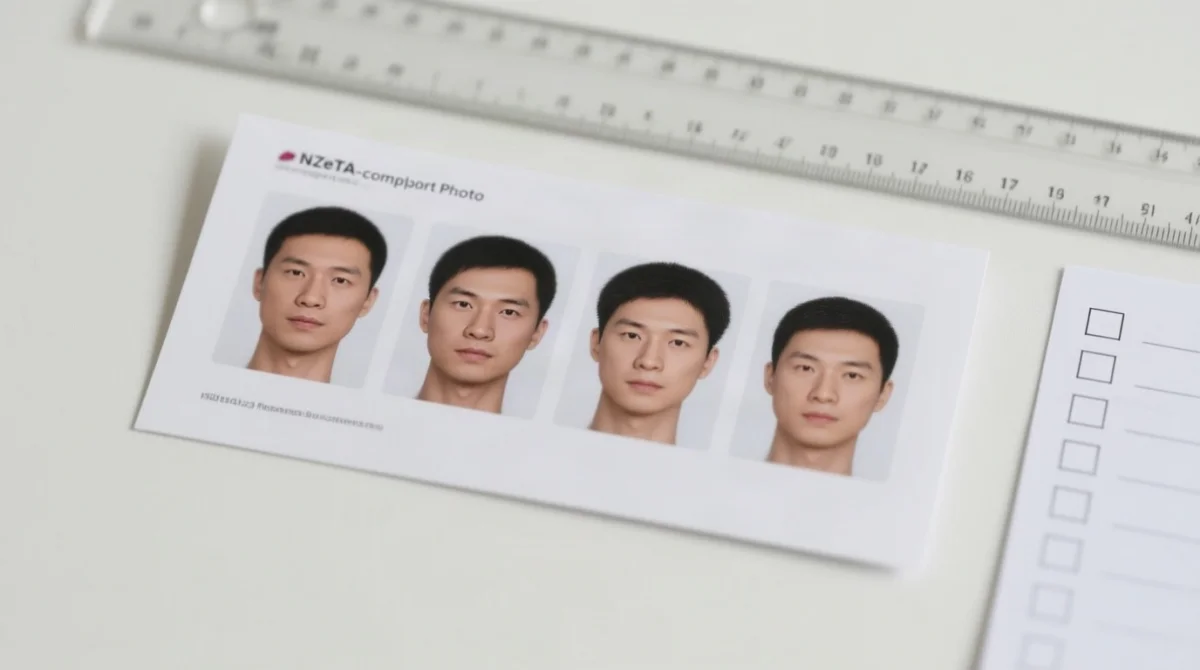
- Background: Plain white or off-white, no patterns, shadows, or objects. No shadow behind head.
- Lighting: Even across the face, no harsh shadows or glare.
- Expression: Neutral, mouth closed, no smile.
- Eyes: Open and visible, looking directly at camera.
- Face view: Full-front, not profile or angled.
- Head height: Approximately 75% of the image, centred and square to camera.
- Skin tone: Natural and unaltered.
- Glasses: Not permitted, including clear prescription. Remove if medically possible.
- Headwear: Only for religious or medical reasons; full face must remain visible from hairline to chin.
- Jewellery/earrings: Permitted if they do not obscure the face.
- Image integrity: Natural and unaltered, no filters or retouching, high-resolution sharp focus.
- Recency: Taken within the last month.
These composition rules align with ICAO biometric standards for facial recognition. NZeTA passport photo requirements enforce these visual elements during automated biometric verification, so any deviation causes immediate rejection upon upload.
Passport Validity Rule: 3 Months Beyond Your Stay
NZeTA passport photo requirements extend beyond the digital image: your UK passport must be valid for at least 3 months beyond your intended departure date from New Zealand. Airlines enforce this rule at check-in, and you may be denied boarding if your passport falls short.
The 3-month validity rule is calculated from the date you plan to leave New Zealand, not your arrival date. For example, if your departure flight is on 15 March 2027, your passport must remain valid until at least 15 June 2027. According to Immigration New Zealand (source: https:// travellers whose passports do not meet this threshold will not be allowed to check in for their flight. Travellers from countries with consular representation in New Zealand may have reduced requirements (1 month); check the Immigration New Zealand website for the full country list.
Biometric Chip (ePassport): Do You Need One?
NZeTA passport photo requirements also mandate a biometric ePassport. An ePassport with a biometric chip is required for NZeTA. All UK passports issued since October 2006 contain an embedded chip, identifiable by the contactless symbol (a small rectangle with radiating arcs) on the front cover.
If your passport lacks this chip, it is not eligible for NZeTA; you must apply for a standard Visitor Visa instead. The physical photo laminated on your passport data page is separate from the digital upload, but both must comply with their respective standards. NZeTA passport photo requirements apply only to the digital image you upload with your application.
Machine-Readable Passport (MRZ) Compliance
A legible Machine-Readable Zone (MRZ) on your passport is mandatory for NZeTA processing. The MRZ consists of two lines of OCR-B encoded text at the bottom of your passport’s biographical data page, conforming to the ICAO Doc 9303 standard. Line 1 encodes passport type, issuing country, and holder name; Line 2 encodes passport number, nationality, date of birth, sex, expiry date, and personal number.
Automated verification cross-references MRZ data with your application; a damaged MRZ can cause border processing failures even with a compliant photo. According to Immigration New Zealand (source: https:// your passport must be machine-readable to qualify for NZeTA in 2026. NZeTA passport photo requirements are inseparable from this machine-readable data during processing.
Follow these steps to verify your MRZ before applying:
Open the data page
Open your passport to the page with your photo and personal details.
Locate the MRZ
Look at the two lines of text at the bottom of the page.
Check legibility
Ensure both lines are crisp and clearly printed, with no fading, smudges, tears, or water damage.
Replace if needed
If any characters are illegible, arrange a passport replacement before starting your NZeTA application.
How to Take and Verify an Acceptable NZeTA Photo at Home
NZeTA passport photo requirements can be met at home using natural window light, a plain white background, a phone camera in portrait mode at minimum 900×1200 pixels, and a final JPEG file between 500 KB and 3 MB, verified through the Online Photo Checker before submission.
Background
Stand against a plain white or light-coloured wall with no patterns, artwork, or shadows.
Lighting
Use natural daylight from a window; avoid fluorescent bulbs and flash glare.
Camera settings
Phone camera in portrait mode, resolution minimum 900×1200 px, no filters or beauty mode.
Positioning
Face the camera directly at approximately 1 metre distance; head centred, eyes level.
Expression
Mouth closed, eyes open, neutral expression.
Save & check
Export as JPEG; verify file size is 500 KB to 3 MB and resize if necessary.
Before submitting, upload your photo to the free Online Photo Checker at https://. No login or application start is required. The tool issues a unique reference number and retains the image for 14 days before automatic deletion. If the photo is unsuitable, the tool states the specific reasons. After submission with your application, NZeTA passport photo requirements trigger a manual assessment by a staff member of the Department of Internal Affairs (Te Tari Taiwhenua).
Common Photo Rejection Reasons and Fixes
The most common NZeTA passport photo requirements rejections are dark or patterned backgrounds, glasses glare, closed eyes, smiling, and incorrect file size, all fixable before resubmission.
| # | Problem | Cause | Fix |
|---|---|---|---|
| 1 | Background too dark or patterned | Non-compliant wall or surface | Use a plain white or off-white wall |
| 2 | Face not centred | Off-angle positioning | Re-centre using camera grid lines |
| 3 | File too small or too large | Wrong export settings | Resize to 500 KB to 3 MB using JPEG compression |
| 4 | Glasses glare | Reflection on lenses | Remove glasses before photo |
| 5 | Closed eyes | Blink or mid-blink capture | Take multiple shots; use self-timer |
| 6 | Smiling | Non-neutral expression | Keep mouth closed; relax face |
| 7 | Side or profile angle | Wrong camera position | Face camera full-front |
| 8 | Shadow on face | Uneven lighting | Move closer to natural window light |
| 9 | Photo too old | Outdated appearance | Retake within the last month |
| 10 | Digital editing applied | Filter, retouch, or enhancement | Use the original, unedited photo |
Avoiding these pitfalls prevents application delays. Use the free Online Photo Checker at https:// to catch any issues before submitting. NZeTA passport photo requirements demand a natural, unaltered image with a full-front face view and a plain background.
NZeTA Passport Photo Requirements FAQ
What are the NZeTA passport photo requirements for UK travellers in 2026?
JPEG, 900×1200 to 2250×3000 px, 3:4 aspect ratio, plain light background, neutral expression, eyes open, 500 KB to 3 MB. See the specification table in Section 1 for full details.
What file format and size is required for NZeTA photos?
JPEG or JPG only, 500 KB to 3 MB, portrait orientation. Landscape images will fail validation regardless of other compliance.
Can I wear glasses in my NZeTA passport photo?
No. Glasses are not allowed, including clear prescription lenses. Remove them before taking the picture if medically possible.
Does my UK passport need a biometric chip for NZeTA?
Yes. UK passports issued since October 2006 are biometric ePassports. Look for the contactless symbol on the front cover. Without a chip, apply for a standard Visitor Visa instead.
How long must my passport be valid for NZeTA entry?
At least 3 months beyond your intended departure date from New Zealand. Airlines enforce this at check-in and may deny boarding.
What is a machine-readable passport (MRZ) and do I need one?
The MRZ is the two-line OCR text at the bottom of your passport data page. NZeTA requires a machine-readable passport with an undamaged MRZ. If faded, torn, or water-damaged, replace your passport before applying.
What happens if my NZeTA photo is rejected?
Rejection delays or denies the application. Use the free Online Photo Checker at https:// before submitting to catch issues early.
Can I take my NZeTA photo at home?
Yes. Use natural daylight from a window, a plain white background, phone camera in portrait mode (min 900×1200 px), and save as JPEG between 500 KB and 3 MB.
How do I verify my photo before submitting?
Upload to the free Online Photo Checker at https:// No login required. You receive a unique reference number; the photo is held 14 days before automatic deletion.
What is the difference between NZeTA photo and NZ passport photo?
NZeTA photo = digital upload for the travel authority application. NZ passport photo = physical print in the passport booklet issued by the Department of Internal Affairs. Different systems, different rules.