
Last updated: 11 September 2026. Reviewed quarterly to reflect Immigration New Zealand policy changes.
To perform a New Zealand ETA status check in 2026, visit the Immigration New Zealand portal at and enter your reference number or passport details. Results appear instantly, showing Pending, Approved, Declined, or Action Required. UK passport holders typically receive a decision within 72 hours. Always use the Immigration New Zealand website as your authoritative source for submitting or verifying applications.
Important: This is an independent information portal. We do not process applications or charge fees. Beware of third-party sites asking for payment to check your status. The only authoritative NZeTA status check is free on the Immigration New Zealand NZeTA portal. This guide is maintained by our editorial team and verified against Immigration New Zealand sources before publication.
How to Check Your NZeTA Status Online
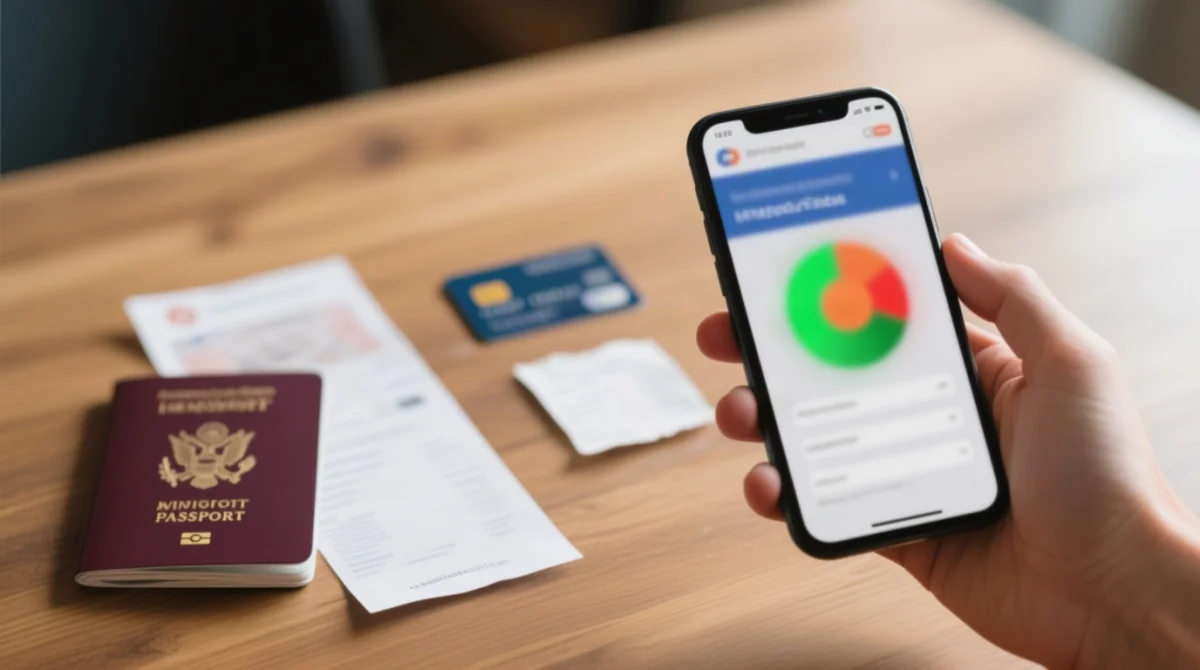
Go to, enter your reference number or passport number plus surname, and see your NZeTA status: Pending, Approved, Declined, or Action Required. The portal is available in English and Simplified Chinese (简体中文).
Go to the portal
Select the status-check function.
Enter your details
Provide your NZeTA reference number or passport number with your surname.
Review the result
The screen displays your current NZeTA application status instantly.
Action Required
Follow the on-screen instructions before the response deadline expires.
Where to Find Your NZeTA Reference Number
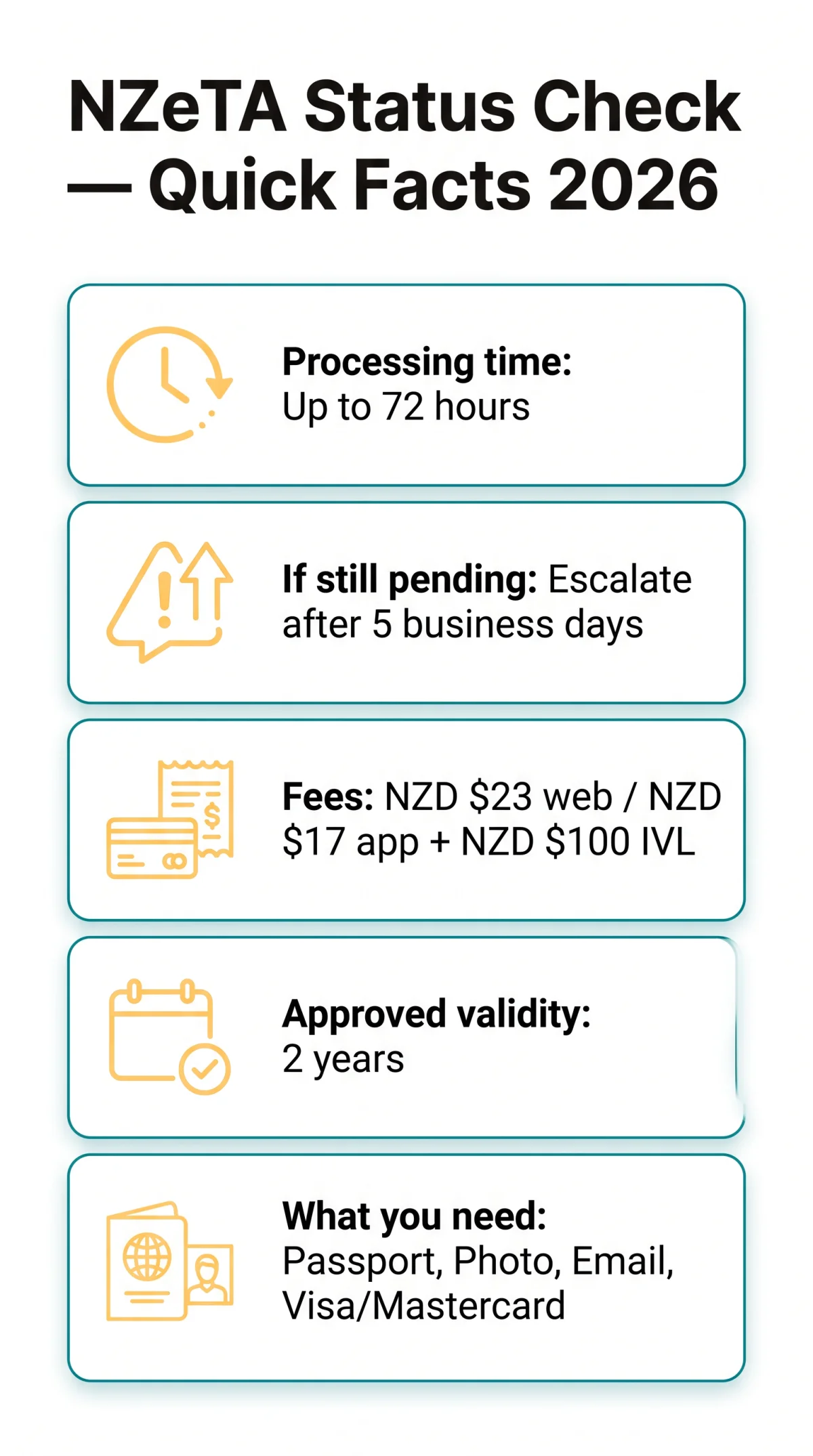
Your NZeTA reference number is an alphanumeric string sent in the confirmation email from Immigration New Zealand immediately after submission. It also appears on the confirmation screen at the end of the application session and on your card statement alongside the NZD $23 web or NZD $17 app charge plus the NZD $100 IVL levy. The NZeTA application process involves 5 steps: traveller information, traveller photo, review and confirm details, declaration, and pay and submit.
Using the NZeTA Mobile App and RealMe
The NZeTA mobile app, described as the fastest way to request your NZeTA and pay the IVL, offers the same status lookup as the web portal. Both pull from the same live Immigration New Zealand database. The app lets you scan your passport and payment card via your device camera. Alternatively, log in via using a RealMe account and navigate to the My Visas tab.
Understanding Your NZeTA Status Results and Processing Times
NZeTA status results include Pending (awaiting processing), Approved (valid for 2 years from approval), Declined (reapply or seek a visa), and Action Required (missing information needed).
| Status | Meaning | What to do next |
|---|---|---|
| ⏳ Pending | Awaiting processing (standard timeframe applies) | Wait up to 72 hours (3 working days); complex requests may take longer |
| ✅ Approved | NZeTA active and valid for 2 years from approval | Travel-ready; no further action required |
| ❌ Declined | Application refused | Reapply for a new NZeTA or apply for a standard visa |
| ⚠️ Action Required | Missing data or documents | Respond by the stated deadline to avoid refusal |
What If Your NZeTA Takes Longer Than 72 Hours?
Standard processing takes up to 72 hours (3 working days), but may take longer during peak seasons (June to August and December). If your New Zealand ETA status check still shows Pending after 5 business days, escalate via the general enquiry form on, including your reference number, full name, and passport number. Immigration New Zealand typically responds within 5 working days of receiving an enquiry. Use this template in your message: “I submitted my NZeTA application on [date], my reference number is [number], and my status remains Pending after 5 business days.”
Missing NZeTA Email and Recovering a Lost Reference Number
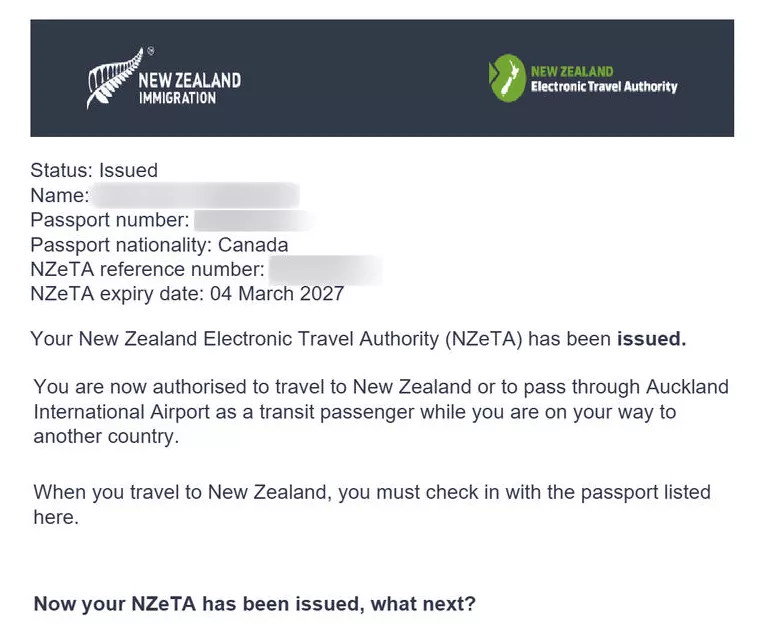
Missing email? Check spam. Lost reference number? Use card statements or passport details. You can still check your NZeTA status without the original email.
Check spam folders
Look in your spam and promotions folders for the sender. In Gmail, look under the Promotions tab; in Outlook, check the Junk Email folder.
Verify email address
Verify that you entered your email address correctly during the NZeTA application. A single typo redirects the confirmation elsewhere.
Wait up to 72 hours
Automated emails may arrive with a delay after submission.
Use the status-check workaround
Visit and enter your passport number and surname to retrieve your NZeTA result without the reference number.
Contact Immigration New Zealand
If the email never arrives, contact them via the general enquiry form on.
Recover lost reference number
Search your inbox for “NZeTA” or “Electronic Travel Authority,” then check your card statement for the NZD $23 (web) or NZD $17 (app) charge plus the NZD $100 IVL levy.
The confirmation email typically contains: your NZeTA reference number, application status, passport details, and a link to the status check portal. If you need to contact Immigration New Zealand to recover your application ID, provide your full name, passport number, date of birth, and application date.
Troubleshooting “No Application Found” Errors
- Did you confuse the digit 0 (zero) with the letter O, or lowercase l with the number 1 in your passport number? Incorrect passport details may mean you cannot travel to New Zealand.
- Did you omit your middle name as printed on your passport?
- Did you apply via the mobile app but check on the web portal (or vice versa)? Both platforms pull from the same database, but entry mismatches can occur.
- Did you submit a group NZeTA application? Check each traveller individually rather than as a batch.
- Does your country of issue match your nationality field exactly?
Contacting Immigration New Zealand and Airline Verification
If the NZeTA status check fails to resolve an issue, use the general enquiry form on. Airlines verify NZeTA electronically through Advance Passenger Information (API), meaning no printed confirmation is required for boarding. For privacy complaints related to your NZeTA application, contact the Privacy Commissioner.
| Channel | When to use | Response time | What NOT to do |
|---|---|---|---|
| General enquiry form | NZeTA status issues, lost reference number, missing confirmation email | Up to 5 working days | Do not submit duplicate enquiries for the same NZeTA |
| Online status check portal | Routine NZeTA status lookup before contacting support | Instant | Do not skip this step before escalating |
| Travel disruption priority line: 0508 558 855 (NZ) / +64 9 914 4100, Option 7 | Temporary visa holders affected by Middle East travel disruptions only | Mon to Fri | Do NOT call this line for NZeTA status queries |
At Heathrow check-in, the airline system scans your passport and queries the Immigration New Zealand database via API, linking your passport number to your approved NZeTA. UK travellers pay NZD $23 (web) or NZD $17 (app) for the NZeTA plus the mandatory NZD $100 IVL, granting 2-year validity on approval. UK passport holders are eligible under the visa waiver programme, requiring an NZeTA rather than a full visa. The NZeTA application requires a valid passport, a photo (biometric information used to establish identity and verify identity), an email address, and a Visa or Mastercard payment method.
Do I Need to Print My NZeTA Confirmation?
No. NZ border officers verify your NZeTA electronically. Save a PDF copy of your confirmation on your phone via Google Drive or Apple Files as a backup in case of airline system delays.
FAQ
How do I check my New Zealand ETA status online?
Visit, enter your NZeTA reference number or passport number plus surname, and view your status instantly: Pending, Approved, Declined, or Action Required.
What is the NZeTA reference number and where can I find it?
The NZeTA reference number is an alphanumeric code sent in your confirmation email from Immigration New Zealand after submission. If you cannot locate this email, search your inbox for “NZeTA” or check your card statement for the NZD $23 web or NZD $17 app charge.
I never received my NZeTA confirmation email. What should I do?
Check your spam folder for an email from . If you still cannot find it after 72 hours, use the NZeTA status check portal with your passport details or contact Immigration New Zealand via their general enquiry form.
How long does it take for a New Zealand ETA to be approved?
Standard processing time is up to 72 hours (3 working days). UK travellers applying during peak seasons (June to August, December) might experience extended times. If your application exceeds 5 business days, escalate via the Immigration New Zealand enquiry form.
Can I check my NZeTA status using my passport number?
Yes. Use your passport number and surname on the NZeTA status check portal as a fallback. Ensure you enter your passport number correctly, avoiding common typos like confusing zero with the letter O.
What does “Pending” mean on my NZeTA status check?
Pending means your NZeTA application is still awaiting processing, which is normal for the first 72 hours. Wait for the standard processing period to conclude before checking again.
Do I need to print my NZeTA confirmation before travelling?
No. Airlines verify your NZeTA electronically through Advance Passenger Information linked to your passport number during check-in. Save the PDF confirmation on your phone as a backup.
How do I recover a lost NZeTA application ID?
Search your email for “Electronic Travel Authority” or check your card statement for the NZD $23 web, NZD $17 app, or NZD $100 IVL charges. If the portal returns a “No application found” error, contact Immigration New Zealand with your full name, passport number, date of birth, and application date.
Can I check my NZeTA status on the mobile app?
Yes. The NZeTA mobile app offers the same status lookup as the web portal, as both pull from the same live Immigration New Zealand database. The app is also the fastest way to request an NZeTA, costing NZD $17.
What should I do if my NZeTA is declined?
If your NZeTA is Declined, you can reapply or apply for a standard visa. For specific refusal reasons, consult the Immigration New Zealand website.