
Last updated: September 2026. Fees and processing times sourced from Immigration New Zealand.
If your NZeTA payment failed, the most common causes are 3D Secure authentication errors, UK bank auto-blocks on NZD transactions, and unsupported cards like Amex. You can retry safely with a Visa or Mastercard after disabling VPNs. A ‘further investigation’ status requires no resubmission and takes 5 to 10 working days.
The NZeTA portal’s third-party gateway enforces Strong Customer Authentication (SCA) under UK FCA PSD2 rules, so browser extensions or bank settings can trigger declines.
Why NZeTA Payment Fails: Common Causes & Accepted Methods
NZeTA payments fail at step five, when the gateway rejects unsupported methods, incorrect details, or 3D Secure errors.
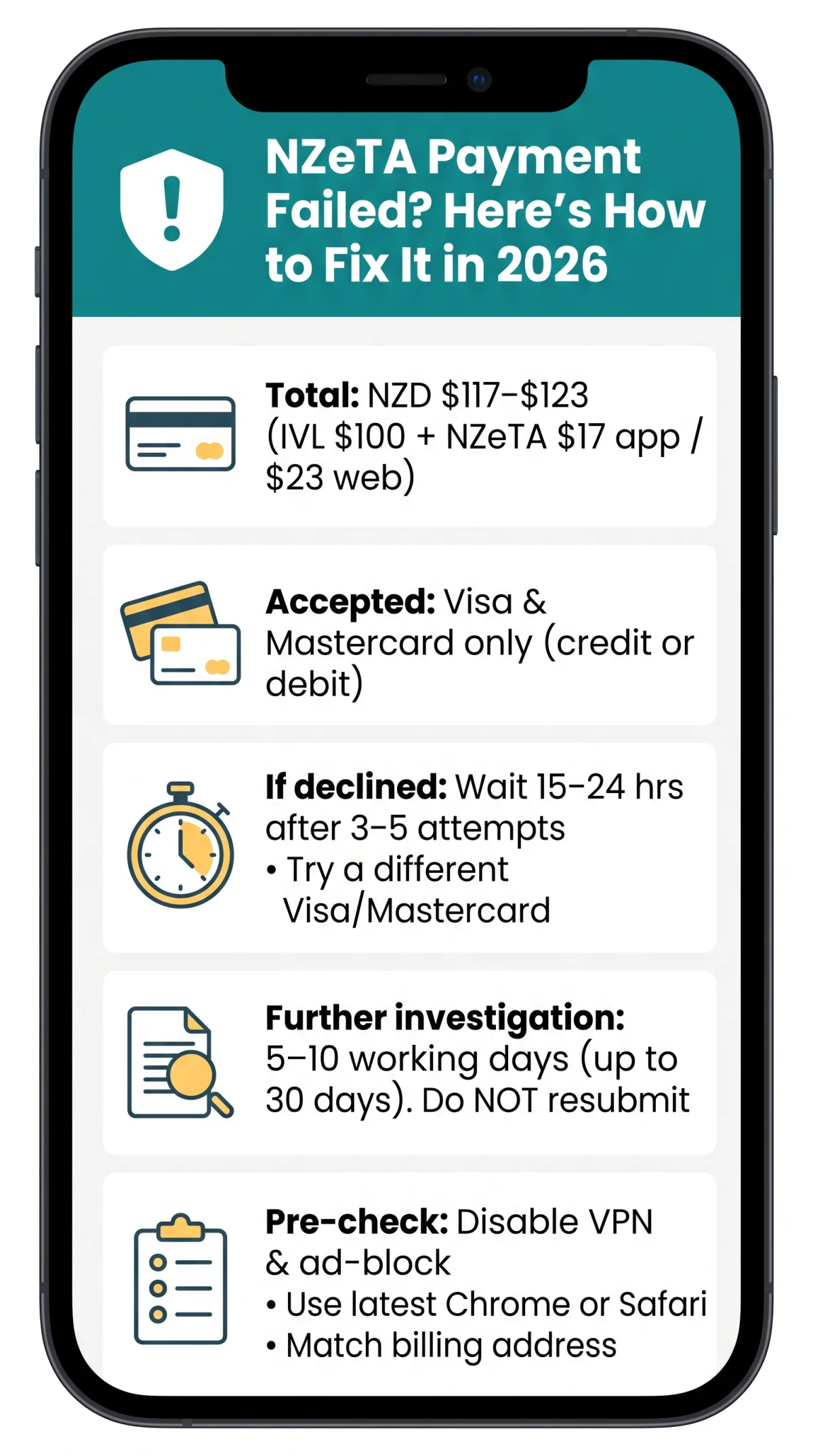
The application has five steps: traveller information, traveller photo, review and confirm, declaration, and pay and submit. Only Visa and Mastercard (credit or debit) are accepted; American Express, PayPal, Apple Pay, Google Pay, and prepaid cards are rejected. The total includes the IVL of NZD $100 plus the NZeTA fee of NZD $17 (app) or NZD $23 (web), totalling NZD $117-$123 (approximately £55-£58 GBP). The NZeTA is valid for 2 years with stays up to 3 months per visit; UK citizens may stay up to 6 months under bilateral Visitor Visa arrangements (a different pathway). For fee and processing details, visit the NZeTA page on the Immigration New Zealand website.
Top causes:
- 3D Secure error: verification screen fails or OTP not delivered
- UK bank auto-block on NZD: cross-border fraud filters decline the charge
- Incorrect card or billing details: CVV, expiry, or address mismatch
- Insufficient funds or credit card limit reached
- Unsupported card type: Amex, Diners Club, JCB, or prepaid cards
- VPN or ad-blocker interference: extensions block the 3D Secure iFrame
- Session timeout: page expires before payment completes
- Browser incompatibility: outdated browser versions
Fixing 3D Secure Errors During NZeTA Payment
3D Secure authentication fails when browser extensions, VPNs, or ad-blockers block the bank’s verification iFrame, preventing OTP delivery during your NZeTA payment.
The NZeTA payment gateway requires SCA for every Visa or Mastercard transaction. Four scenarios:
- Bank verification screen won’t load: Disable VPNs (NordVPN), ad-blockers (uBlock Origin, Privacy Badger), and password-manager autofill (LastPass). Open an Incognito window as a quick diagnostic test.
- SMS OTP not arriving: Confirm the mobile number registered with your bank, then switch to an alternative OTP method in your banking app.
- Screen freezes mid-authentication: A force-refresh risks losing your session and the application data entered so far. Before refreshing, note your transaction reference number.
- “Authentication failed” message: Wait 15-24 hours before retrying, clear cookies, and use a different Visa or Mastercard to avoid triggering the gateway’s approximate 3-5 attempt lockout threshold.
UK Bank Blocking, Pending Charges & Retry Limits
First, check if your UK bank auto-blocked the NZD transaction. British banks frequently decline NZeTA payments because unfamiliar merchant codes and time-zone gaps trigger cross-border fraud algorithms. To lift the block, call the number on the back of your card and confirm the transaction.
Use this script: “I am making a payment to Immigration New Zealand for a New Zealand Electronic Travel Authority, in NZD, from the portal at.”
A pending NZD charge after a failed NZeTA payment is typically a pre-authorisation hold that automatically reverses within 2-5 business days. In UK banking apps, HSBC and Barclays show this as “pending,” while Monzo labels it “authorised” – neither means funds were settled.
The NZeTA payment gateway allows approximately 3-5 consecutive failures before triggering a temporary lockout. Wait 15-24 hours before retrying, and use a different Visa or Mastercard to avoid repeating the same decline.
NZeTA Further Investigation: Meaning & Refund Process
This status means Immigration New Zealand is conducting manual identity verification, character checks, and biometric cross-reference. Common triggers include a rare passport nationality or prior visa refusals.
Do not submit a duplicate application
It will trigger another charge
Track your status
Use the NZeTA portal with your reference number and email
Contact Immigration New Zealand
Online form or phone 0508 558 855 (NZ) / +64 9 914 4100 (international), option 7, Mon-Fri
Expect a response
Within 5-10 working days; complex cases up to 30 days
If money was taken but no NZeTA was issued, collect a bank statement screenshot and any error message, then contact INZ with this evidence. If you need to request a change to your NZeTA, use the Immigration New Zealand website and search for “request a change to your NZeTA.” Refund timelines: 3-10 business days for pre-authorisation release, up to 30 days for settled charges. Each refund request is considered individually by INZ.
Switching Cards & Preventing Future NZeTA Payment Failures
To fix a declined NZeTA payment, retry with a different Visa or Mastercard after confirming international NZD access on your account.
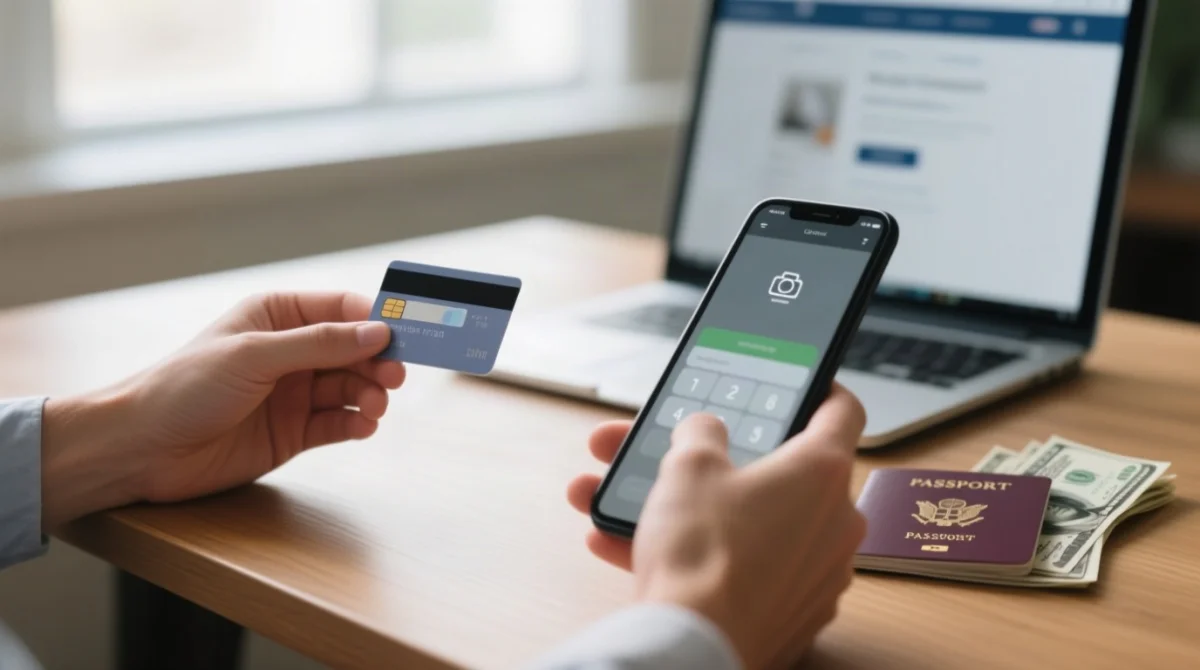
- Log back into the portal, select “pay now”, and enter new card details – your application stays in session for a limited time.
- If the web route fails, try the NZeTA mobile app – the app fee is NZD $17 versus NZD $23 on the website.
- When using the mobile app’s camera scanner, ensure good lighting, check that card numbers are embossed (virtual/unembossed cards misread), and verify the scanned expiry date and CVV match before submitting. If the scanner misreads, enter the number, expiry date, and CVV manually.
Pre-payment checklist:
- Confirm your Visa or Mastercard supports international NZD transactions.
- Ensure at least £55-£58 GBP (approximate, exchange-rate dependent) is available.
- Disable your VPN and ad-blocker before starting the NZeTA payment.
- Use Chrome or Safari (latest version) for the transaction.
- Verify your billing address matches your bank records exactly.
FAQ: Resolving NZeTA Payment Problems
Why was my NZeTA payment declined even though my card has enough money?
Even with sufficient funds, 3D Secure errors, UK bank cross-border fraud triggers, or a billing-address mismatch will decline the transaction. The gateway requires SCA, and any mismatch blocks payment.
Is the NZeTA payment safe? Can I trust the gateway with my card details?
The NZeTA portal uses a secure third-party payment processor with SSL encryption and complies with PCI DSS standards. Only Visa and Mastercard credit or debit cards are accepted, ensuring transactions meet strict international security protocols.
My NZeTA application is stuck on ‘pending’ after payment – is it approved?
A ‘pending’ status means processing is underway – up to 72 hours for most requests, but approval is not guaranteed. ‘Further investigation’ means manual INZ checks, typically 5-10 working days.
I see a charge on my bank statement but didn’t receive an NZeTA – what happened?
This is likely a pre-authorisation hold, which automatically reverses within 2 to 5 business days, or a settled charge if the 3D Secure step succeeded but the portal crashed. If funds were deducted but no NZeTA was issued, contact Immigration New Zealand with your bank statement and reference number to request a refund.
Can I pay for NZeTA with PayPal, Apple Pay, or Google Pay?
No, the NZeTA portal does not accept PayPal, Apple Pay, Google Pay, Amex, Diners Club, or prepaid cards. You must use a Visa or Mastercard credit or debit card. Based on user reports, Apple Pay linked to a Visa or Mastercard may work on the NZeTA mobile app, but this is not officially supported by Immigration New Zealand. For the most reliable transaction, use a physical Visa or Mastercard.
How long does a failed NZeTA payment take to be refunded?
A failed NZeTA payment refund typically takes 3 to 10 business days for pre-authorisation releases. If the charge was fully settled by your bank, the refund can take up to 30 days. Debit and credit card refund speeds vary depending on your bank’s processing times.
Will I be charged twice if I retry the NZeTA payment?
If your first NZeTA payment failed before bank confirmation, retrying will not result in a double charge. However, if the 3D Secure authentication succeeded on the bank’s side but the portal did not receive it, you might be charged. In that case, contact Immigration New Zealand for a refund.
What does ‘further investigation’ mean on my NZeTA application?
This status means Immigration New Zealand is conducting manual identity verification, character checks, or biometric cross-references. It is often triggered by a rare passport, prior visa refusals, or a photo mismatch. Do not submit a duplicate application. Expect a response within 5 to 10 working days, or up to 30 days for complex cases.
Can I use a debit card for NZeTA, or does it have to be a credit card?
You can use either a credit or debit card for your NZeTA payment, provided it is a Visa or Mastercard. Keep in mind that debit cards may have lower daily transaction limits, so ensure you have at least the equivalent of NZD $117 to $123 available to cover the combined NZeTA and IVL fees.
My NZeTA payment screen crashed mid-transaction – did it go through?
To check if your NZeTA payment went through, look for an email confirmation, review your bank statement for a transaction reference, or log into the NZeTA portal to check your application status. Do not submit a duplicate application until you confirm the first one failed, to avoid being charged twice.
Disclaimer: The information provided on this page is for general guidance only and does not constitute official legal or immigration advice. Always check the official Immigration New Zealand website or consult a qualified advisor for your specific situation.