
Published: 15 March 2025 | Last updated: 28 February 2026. Sources: Immigration New Zealand NZeTA portal (system build 20260803.1, copyright 2026). This is an independent information portal, not affiliated with Immigration New Zealand.
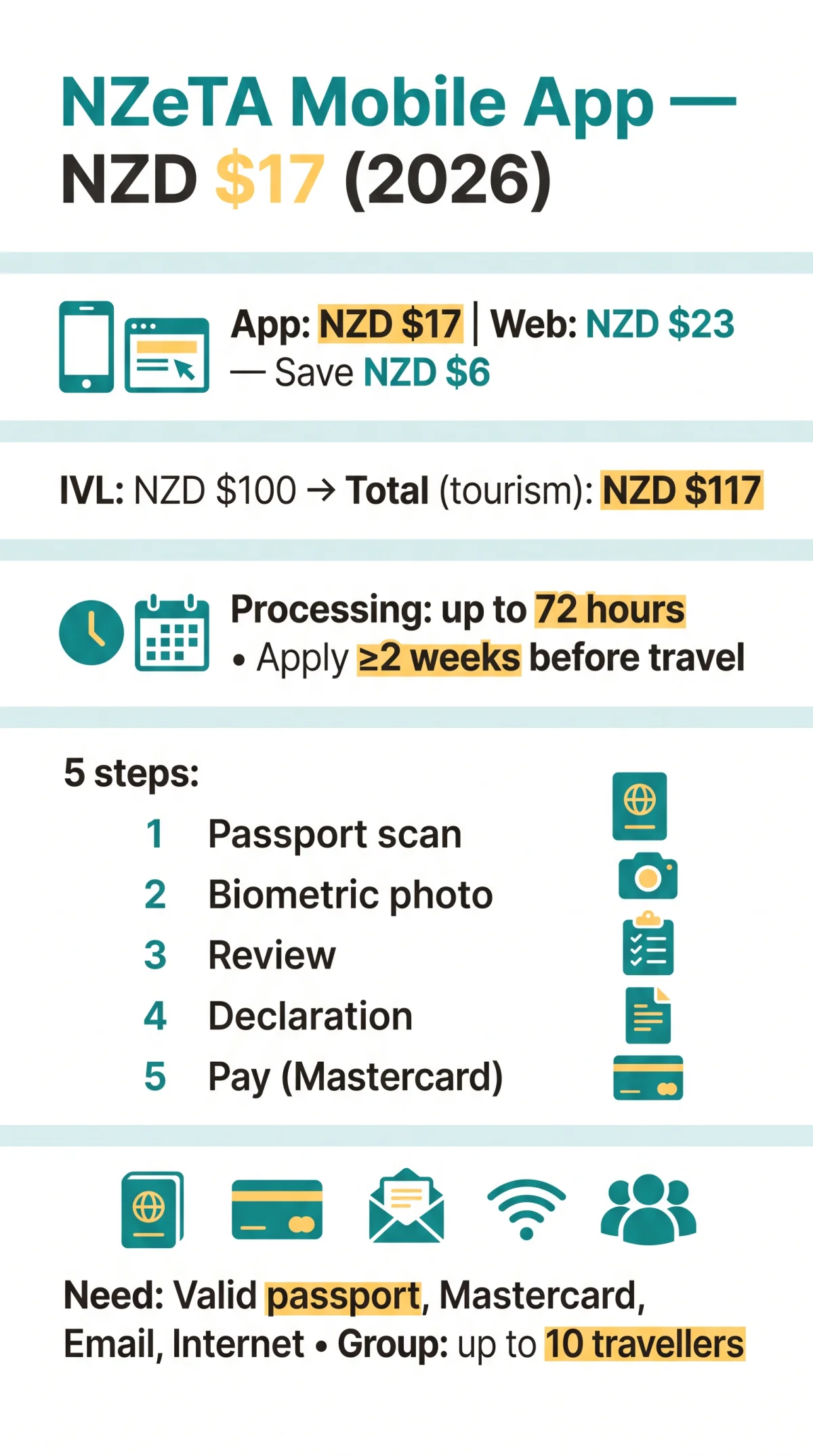
The New Zealand ETA mobile app lets you apply for a New Zealand Electronic Travel Authority for NZD $17 – NZD $6 cheaper than the web fee of NZD $23. The app is free to download on iOS and Android, supporting passport scanning, biometric photo capture, and group submissions for up to 10 travellers. As of 2026, UK passport holders can submit applications and receive approval within 72 hours directly from their phone.
The NZeTA mobile app (NZeTA = New Zealand Electronic Travel Authority) is a free-to-download iOS and Android application for submitting a New Zealand Electronic Travel Authority request for NZD $17 – saving NZD $6 compared to the web application fee of NZD $23. You can scan your passport, take a biometric photo, and receive approval within 72 hours directly from your phone.
What Is the NZeTA Mobile App?
The free-to-download NZeTA app (iOS/Android) lets you submit a travel authority request for NZD $17 – NZD $6 less than the web fee of NZD $23. According to the Immigration New Zealand fee schedule (effective 2026), the saving via app is NZD $6 (approximately £2.80 GBP) per application.
The NZeTA app is for visa-waiver travellers (e.g., UK citizens) entering or transiting New Zealand. The NZeTA itself is not a visa; it is a travel authorisation permitting stays of up to 90 days per entry, valid for 2 years or until passport expiry, whichever comes first.
Although the app is free to download, the NZD $17 is a processing fee charged at submission. Travellers must also pay the International Visitor Conservation and Tourism Levy (IVL) of NZD $100 at the same time, bringing the total to NZD $117 for tourism via the app. The IVL funds conservation in New Zealand. For a full breakdown of NZeTA fees and the IVL levy, see our dedicated cost guide.
Do not confuse the NZeTA with the New Zealand Traveller Declaration (NZTD), a separate, free biosecurity and health declaration required of everyone entering New Zealand. The NZTD is available at or via the NZTD app.
Download the NZeTA App for iOS and Android
Download the New Zealand ETA mobile app from the Apple App Store or Google Play Store using the direct links below.
- Apple App Store: https://
- Google Play Store: https://
- Minimum OS: iOS 13+ / Android 8+ (older versions lack camera APIs needed for MRZ passport scanning)
- Download size: under 50 MB
- Regions: available in the UK App Store and Google Play Store regions
- Language: English (Simplified Chinese / 简体中文 also supported)
The New Zealand ETA mobile app is published by the New Zealand government (MBIE / Immigration New Zealand). The official Google Play package ID is . A third-party app called “NZeTA Assistant” (package ID ) appears in Google Play search results but is NOT the government app and may charge inflated service fees.
How to Apply for Your NZeTA – Step-by-Step App Guide
The five steps – traveller information, biometric photo, review, declaration, and NZD $17 payment – take roughly 5 minutes to complete.
Before starting, have a valid passport, a Mastercard, a working email address, and a stable internet connection ready.
Traveller information (passport scan)
The New Zealand ETA mobile app reads the Machine Readable Zone (MRZ) on your passport’s bio page using your phone camera. NFC is not required. If auto-detection fails, the app provides a manual entry fallback for passport number and expiry date.
Biometric photo
The app captures your face photo in real time using the device camera. This image is classified as biometric information under the NZ Privacy Act.
Review
Verify all traveller details before proceeding. Incorrect nationality or passport fields may prevent travel.
Declaration
Answer eligibility and travel questions covering health, character, and travel history.
Pay and submit
Pay the NZD $17 processing fee via Mastercard. The app issues an in-app confirmation with a reference number.
The NZeTA app supports submitting for up to 10 travellers at once. Each person requires individual passport details and a separate face photo, but the group pays a single combined fee. For more details, see our guide to NZeTA family and group applications. After submission, the built-in status tracker displays your application as Pending, Approved, or Declined.
How to Take a Photo the NZeTA App Will Accept
The New Zealand ETA mobile app captures a biometric face photo using your phone camera, requiring even natural lighting, a plain background, and a neutral expression.
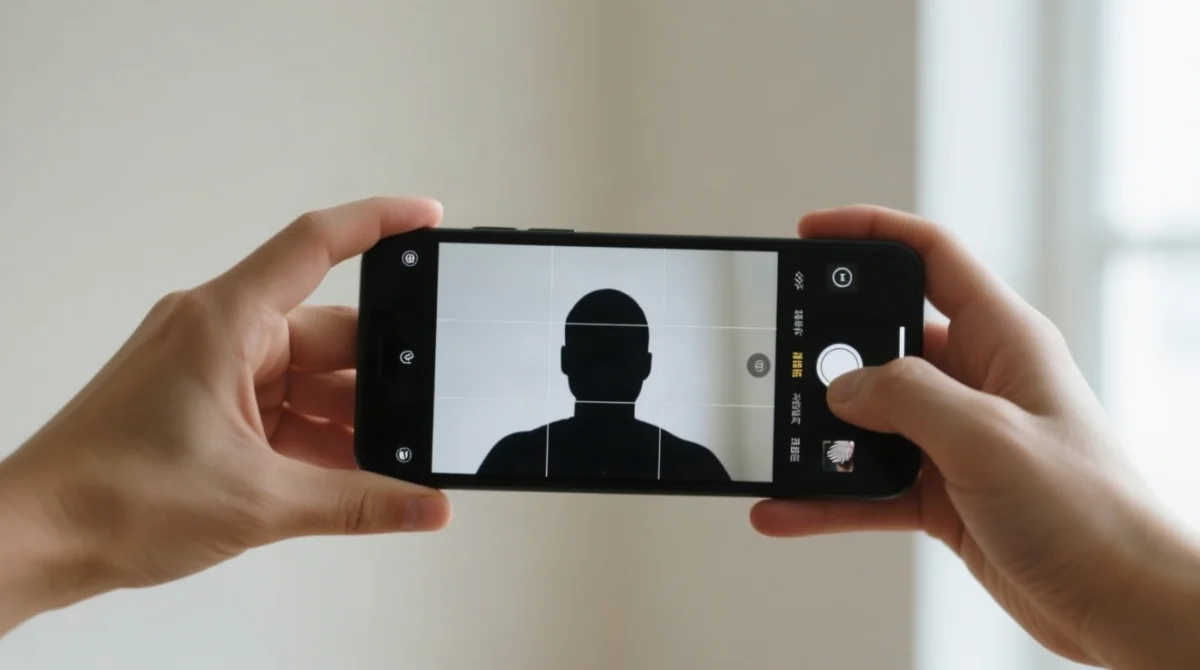
The New Zealand ETA mobile app classifies your photo as biometric information under the NZ Privacy Act. Complaints regarding data handling can be directed to the Privacy Commissioner, the independent oversight body for applicant rights. If the image is rejected, the app lets you retake it immediately in-app. For detailed specifications, see our NZeTA passport photo requirements guide.
- Do: Keep your face centred with shoulders visible. Use natural daylight facing a window. Stand against a plain, light-coloured wall background. Maintain a neutral expression with your mouth closed and eyes open. Hold the phone approximately 60 cm away. Remove sunglasses. Prescription glasses are acceptable if there is no glare.
- Don’t: Use overhead artificial light. Stand against patterned backgrounds. Tilt your head. Crop your forehead. Wear head coverings unless for religious reasons, ensuring your face remains fully visible from hairline to chin.
- Common rejection reasons: Shadows on the face, tilted head, blurry image, red-eye from flash, cropped forehead, and glare on glasses.
NZeTA App vs Web Application – Fees and Features
The NZeTA app is faster, cheaper, and supports 10-person groups; the web app suits desktop users.
| NZeTA Mobile App | NZeTA Web Application | |
|---|---|---|
| Processing fee | NZD $17 | NZD $23 |
| IVL (mandatory) | NZD $100 | NZD $100 |
| Total (tourism) | NZD $117 | NZD $123 |
| Saving via app | NZD $6 (approximately £2.80) | – |
| Passport entry | Camera scan (MRZ) | Manual type |
| Photo capture | In-app camera | File upload |
| Group applications | Up to 10 people | Single only |
| Completion time | ~5 minutes | ~10 minutes |
| Platforms | iOS / Android | Any browser |
| Status tracker | Built-in | Web checker |
| Payment | Mastercard | Multiple cards possible |
Transit passengers are exempt from the IVL and pay only the base fee (NZD $17 via app or NZD $23 via web). The web application at remain a fallback for devices running below iOS 13 or Android 8, or for travellers who prefer a desktop interface.
Troubleshooting – NZeTA App Not Working?
Six failure modes cover virtually all New Zealand ETA mobile app problems: passport scan, camera permission, payment, startup crash, photo rejection, and regional unavailability.
- Passport scan fails – Glare on the laminate, a cracked bio page, or poor lighting disrupts the MRZ read. Clean the passport surface, adjust the angle, improve lighting, or use the manual entry fallback.
- Camera permission denied – Open Settings → Privacy → Camera and enable access for the New Zealand ETA mobile app.
- Payment declined – Only Mastercard (debit or credit) is confirmed as accepted. Try a different Mastercard and ensure online payments are enabled with your bank. For more on accepted cards and refund rules, see our NZeTA payment methods guide.
- App crashes on launch – Your OS may be below the minimum (iOS 13+ / Android 8+). Update your OS or switch to the web application at.
- Photo rejected repeatedly – Avoid flash, shadows, and tilted framing; retake the photo immediately in-app following the capture guidelines.
- App not available in your region – Check your App Store country settings or use the web portal at as a fallback.
For persistent failures, reinstall the New Zealand ETA mobile app or use the web application at.
FAQ
Do I need to print my NZeTA after approval?
No. The NZeTA is electronic and linked to your passport number. Immigration officers see it automatically at the border. Save a screenshot or PDF of your confirmation email as a backup.
Can I check my NZeTA status inside the mobile app?
Yes. The app displays status as Pending, Approved, or Declined. You can also use the web checker at
Will the NZeTA app notify me when I’m approved?
Confirmation is always sent to your email. The app may deliver push notifications. Enable notifications in phone settings and check your inbox regularly.
Can I pay with Apple Pay or Google Pay in the NZeTA app?
The app accepts Mastercard debit and credit cards. Apple Pay and Google Pay support has not been confirmed. Have a Mastercard ready.
How far in advance should I apply for my NZeTA?
At least 2 weeks before travel. Standard processing takes under 72 hours, but complex cases may take longer. Never apply at the airport.
Is the NZeTA the same as a visa?
No. The NZeTA is a travel authorisation allowing visa-waiver travellers, including UK passport holders, short stays up to 90 days per visit.
Do I need NFC on my phone to scan my passport?
No. The app uses your phone camera to read the MRZ on your passport. NFC is not required.
Can I apply for my whole family using one NZeTA app session?
Yes. The app supports group applications for up to 10 travellers with a single combined payment.
What is the IVL and do I pay it through the app?
The IVL (International Visitor Conservation and Tourism Levy) is NZD $100, paid in-app with the NZeTA fee. Transit-only passengers are exempt.
Is the NZeTA app available for tablets or iPads?
The app is designed for smartphones. While it may install on tablets, the camera-based passport scan is optimised for phone-sized screens.
What happens if my passport expires after I get my NZeTA?
Your NZeTA becomes invalid when your passport expires. You will need to transfer your NZeTA to a new passport.
Can I use the NZeTA app on a shared or family device?
Yes, but biometric data (your face photo) is stored on the device. Log out or clear app data after use if sharing the device.